








Features
Everything Kaizen does, from client records to invoices to Kai
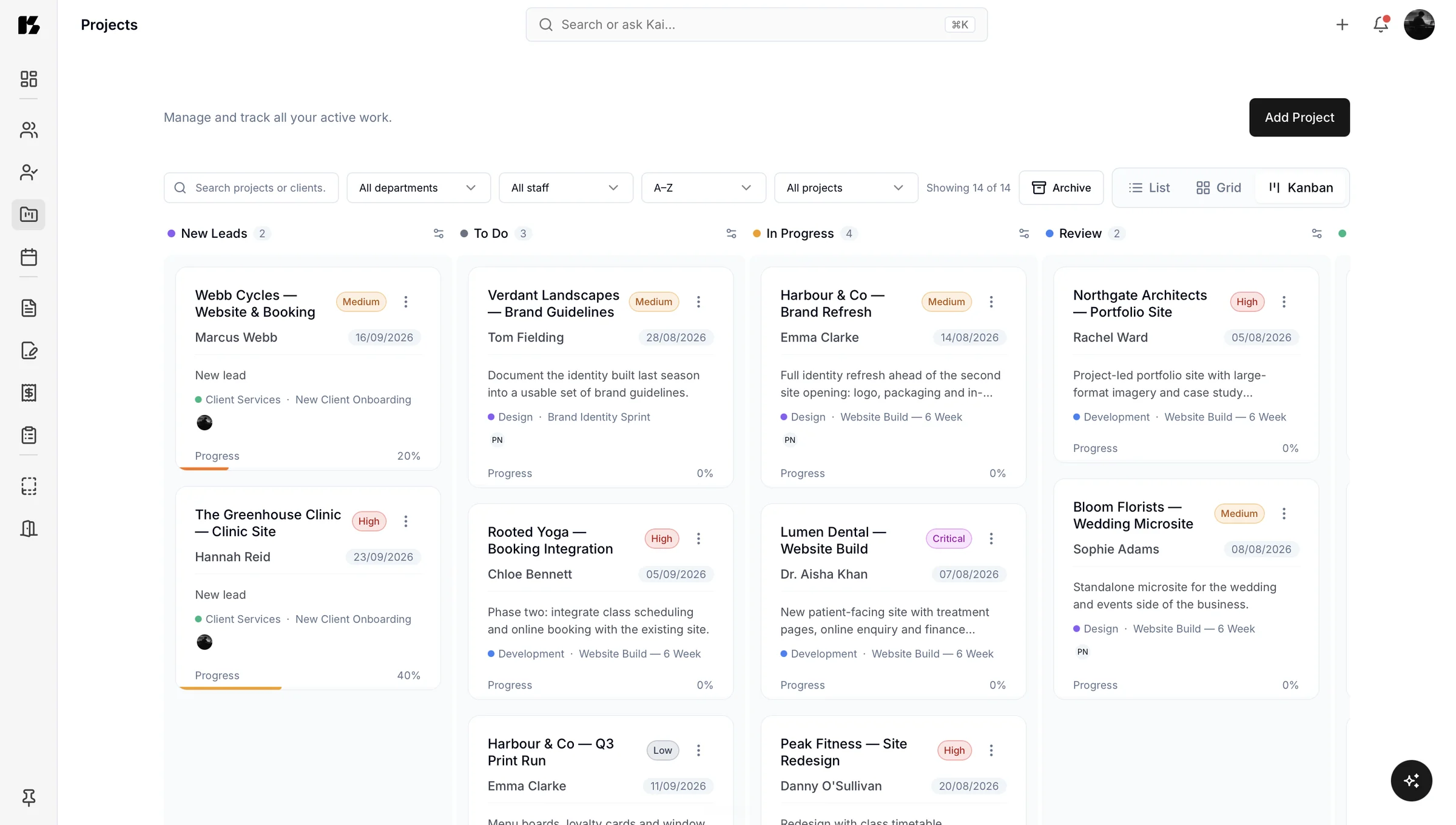
Kaizen replaces the scatter of spreadsheets, email threads and separate apps with one portal that holds your clients, invoices, proposals, questionnaires, documents, project information and updates. Kai sits across all of it and can create or update anything you ask for.
This page is the full tour. Every section links to the detail if you want to go deeper.
Pick a tool. See what it does.
Free
Clients and projects
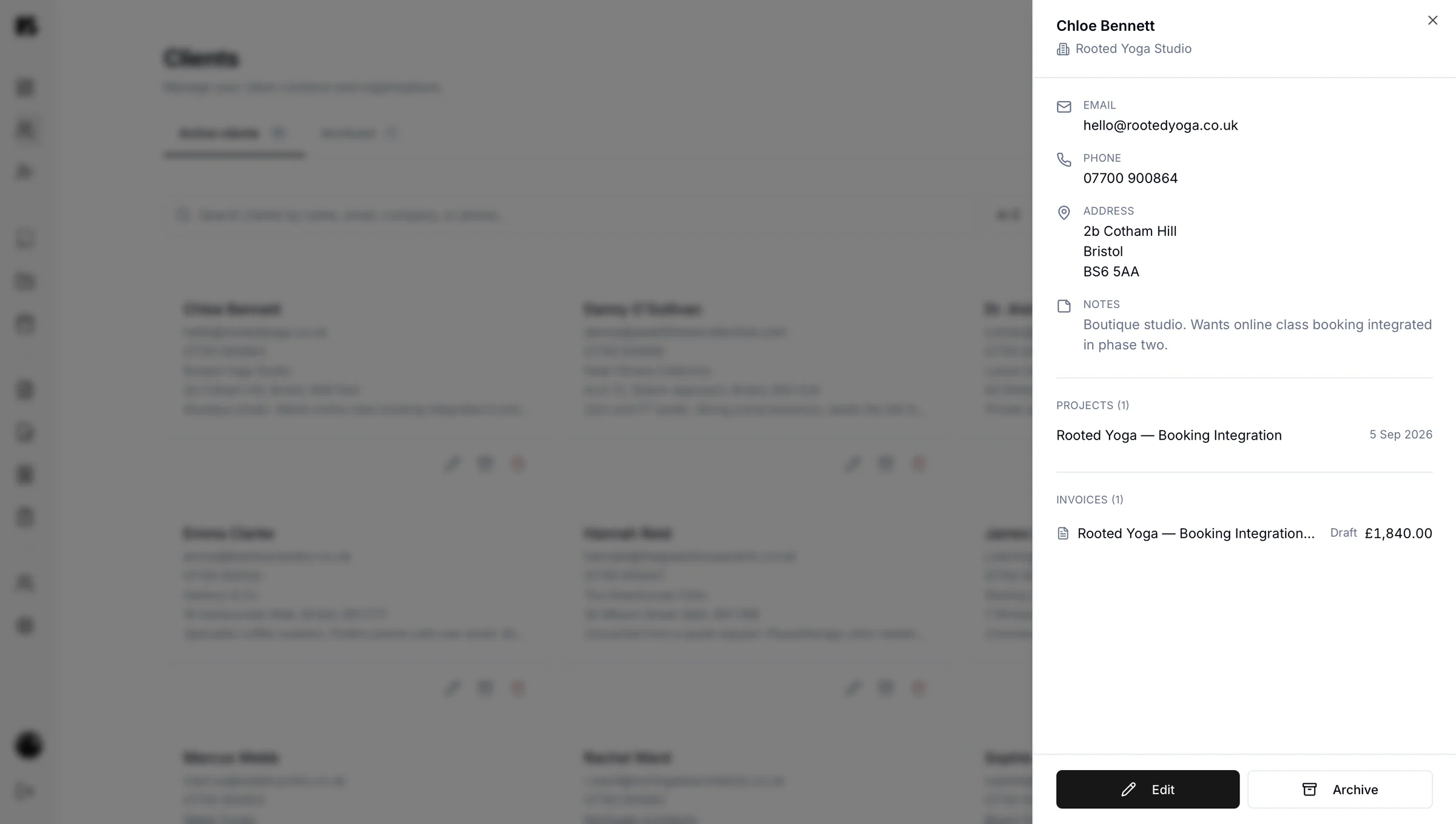
Every client gets a record holding contact details, history, notes and every invoice, proposal, questionnaire and project attached to them. Six months later, when they come back and ask about something you agreed, it is one page rather than a search across three apps.
When a client wants a progress update, you can share the project list with them so they can see what is done, what is in progress and what is next.
Free
Leads and lead forms
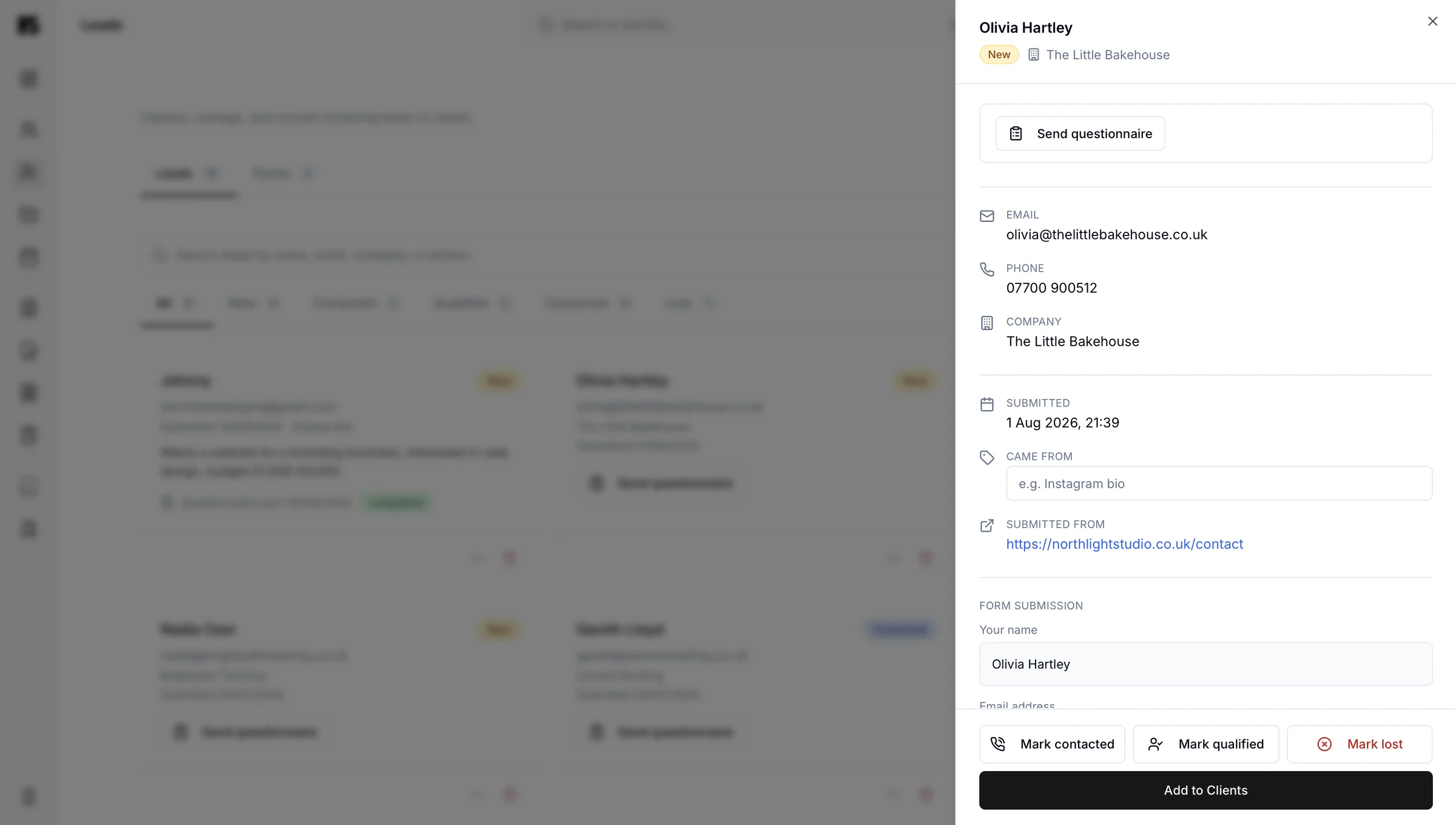
Build a lead form for your website and your social profiles, and every enquiry lands in one list instead of scattered across an inbox and four DM folders. You can see who came in, when, from where and what they said.
When a lead turns into work, they become a client record with their details already in place. Nothing gets re-typed.
Free
Invoices
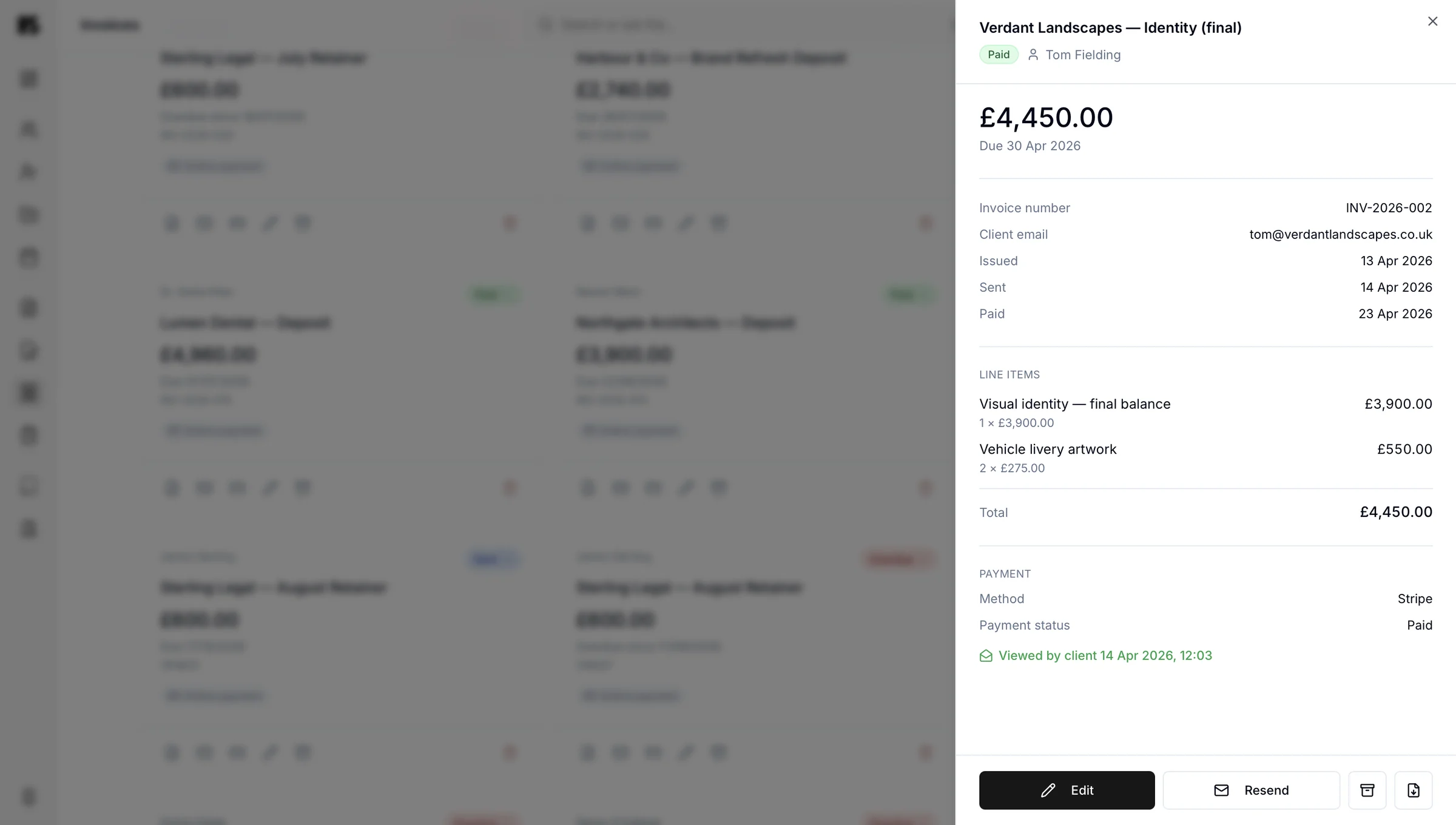
Raise an invoice, send it, see whether it has been paid. Kaizen keeps every invoice attached to the client and project it belongs to, so your billing history reads like a story rather than a pile.
This matters more than it sounds. UK guidance sets out what an invoice must legally contain and when payment falls due, and getting either wrong slows you down at exactly the moment you want to be fast. Kaizen keeps the format right so you can stop thinking about it.
Companion
Proposals
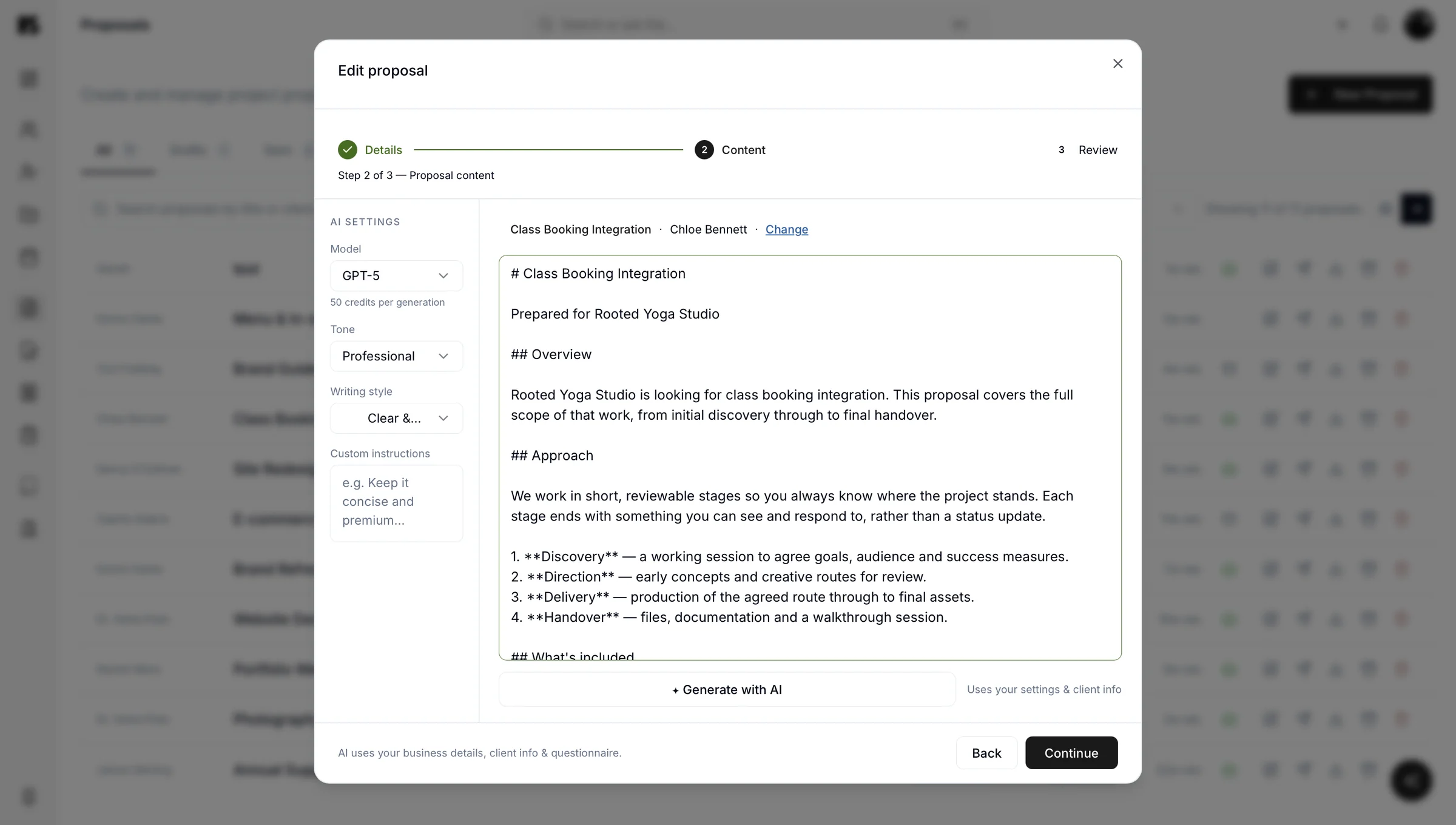
Build a proposal, send it, watch what happens next. Phases, pricing, scope and terms all live in one document that looks like it came from a real business, because it did.
Because proposals live beside clients and invoices, an approved proposal is one step from becoming a billed project.
Companion
Contracts
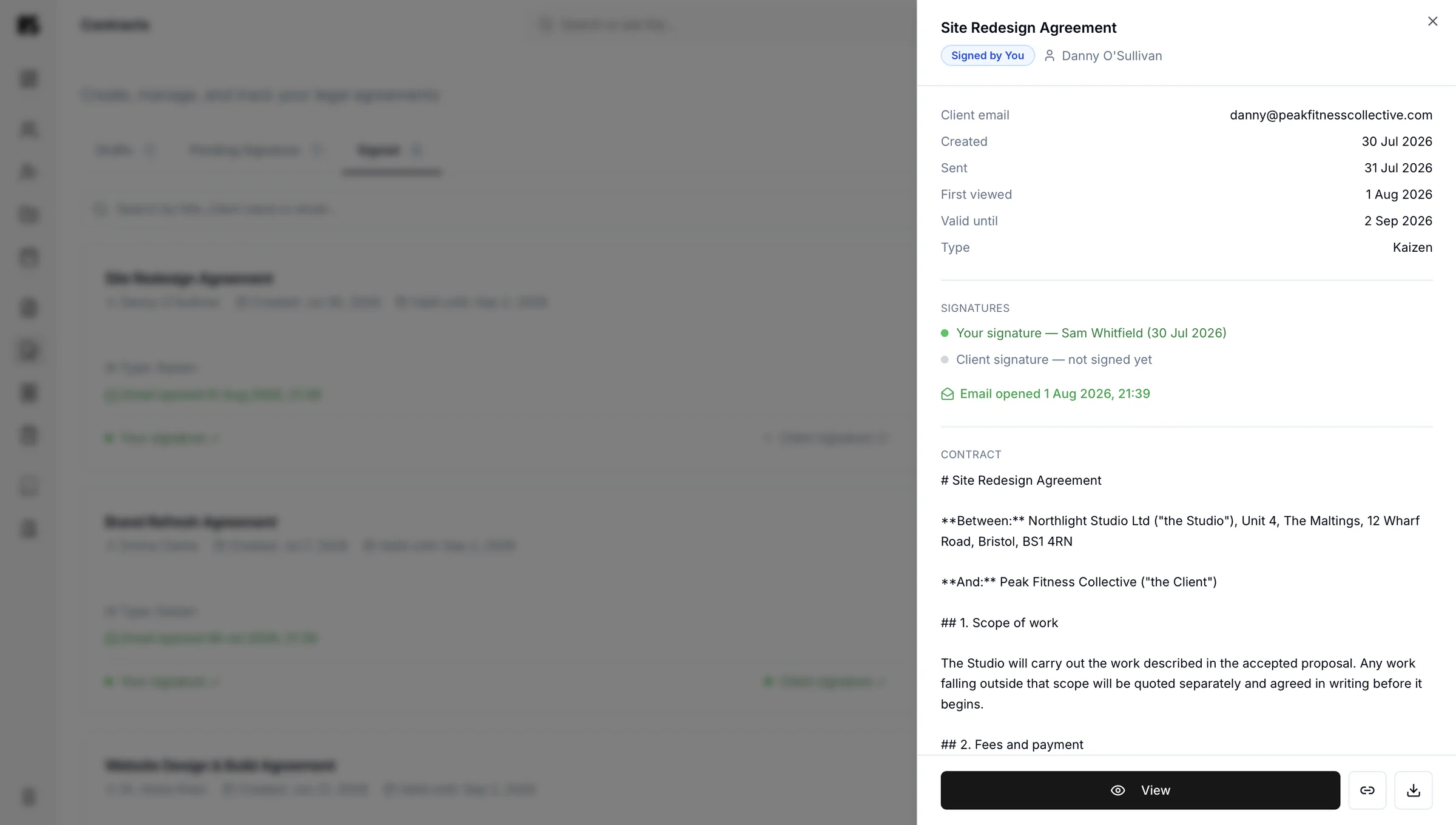
Send a contract for signature, track it, and keep the signed copy with the client and project it belongs to. Your client views, downloads and signs it from their portal without creating an account.
Companion
Questionnaires and forms
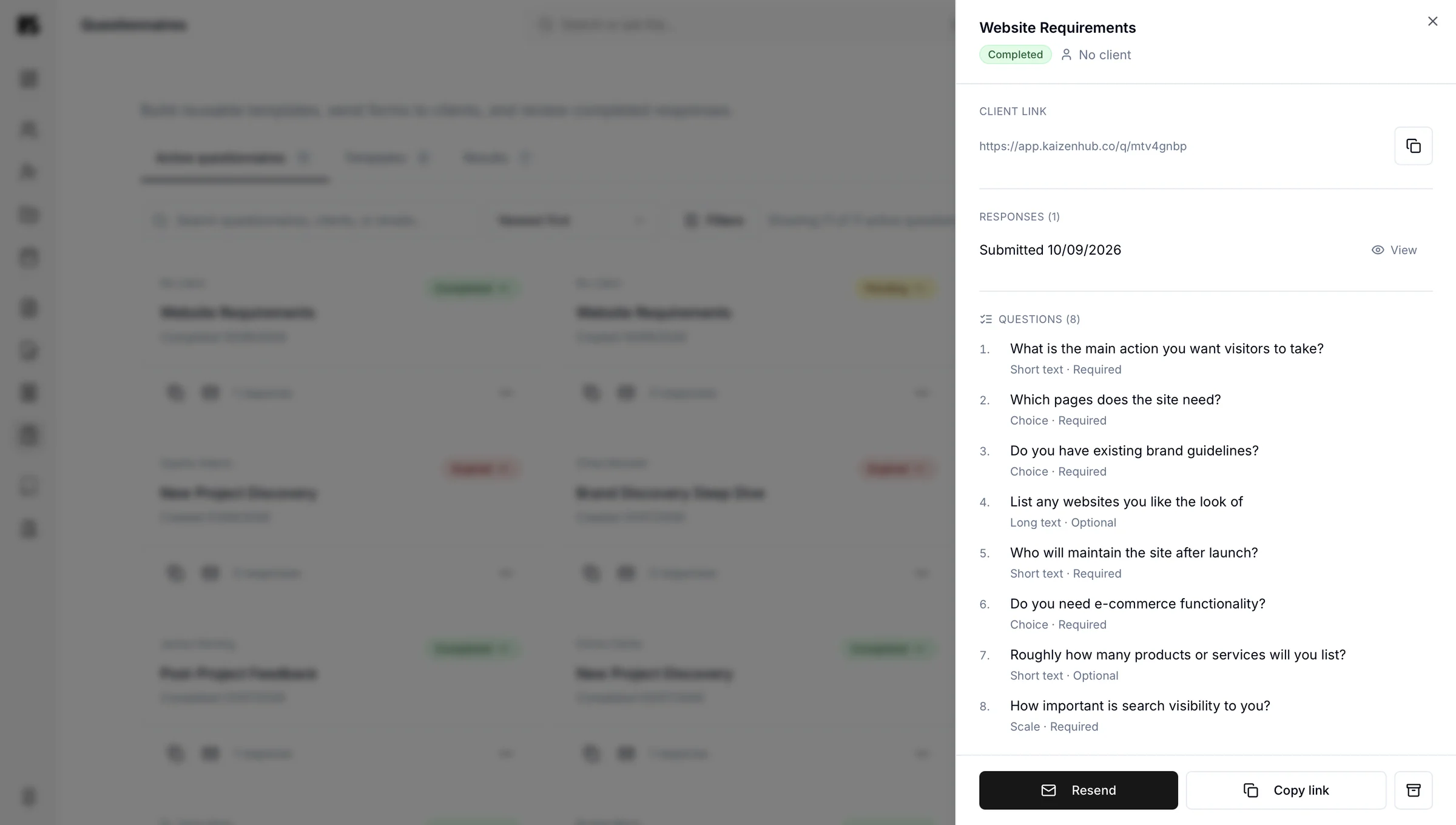
Ask once, in a form, and keep the answers where they belong. Send a questionnaire to a single client for onboarding, or to a whole list at once if you're gathering wider feedback. Kaizen questionnaires cover onboarding details, brand information, project requirements or feedback without the four-email chase.
Answers save straight to the client record, so the information is there when you need it in three months. When a form goes out to more than a handful of people, ask Kai to read the responses back to you as a written summary instead of working through them yourself.
Companion
Projects and playbooks
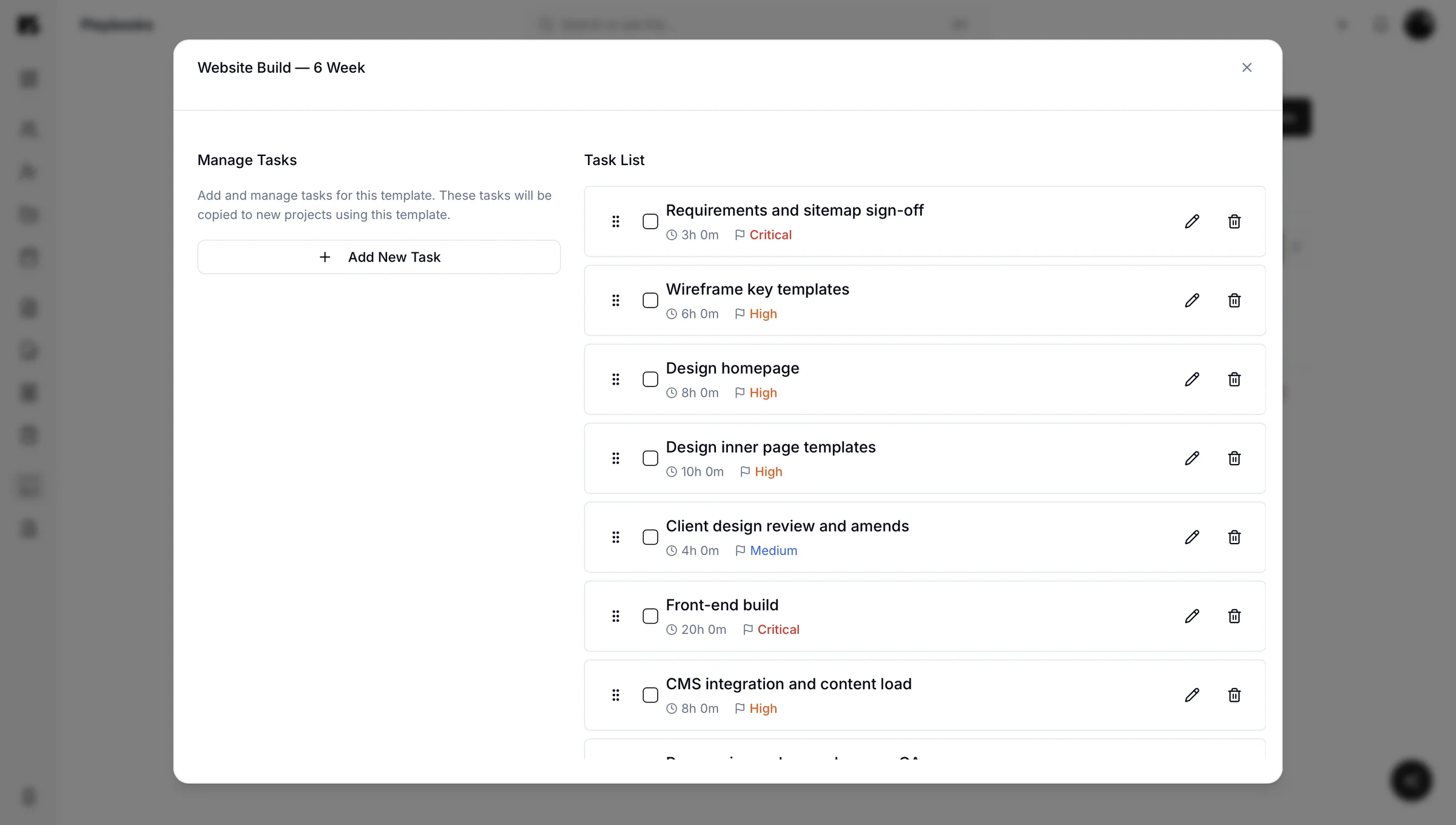
Tasks are created in playbooks, not inside projects. Build the task list for a type of job once, assign the playbook to a project, and the tasks come with it. Each project then shows its task list, dates and progress.
Companion
Documents, internal records and project updates
Business documents, client documents, contracts and internal records live in the portal instead of a folder structure that only makes sense to one person. Everything stays on your side unless you deliberately share it.
If you handle client data, you have obligations under UK data protection law, and having one controlled place for that data is considerably easier to defend than fourteen inboxes.
Updates sit with the project they describe, so context never gets separated from the work. Updates appear in the client portal automatically, which saves you writing the same summary into an email.
Documents
Nothing sharedCompanion
The client portal
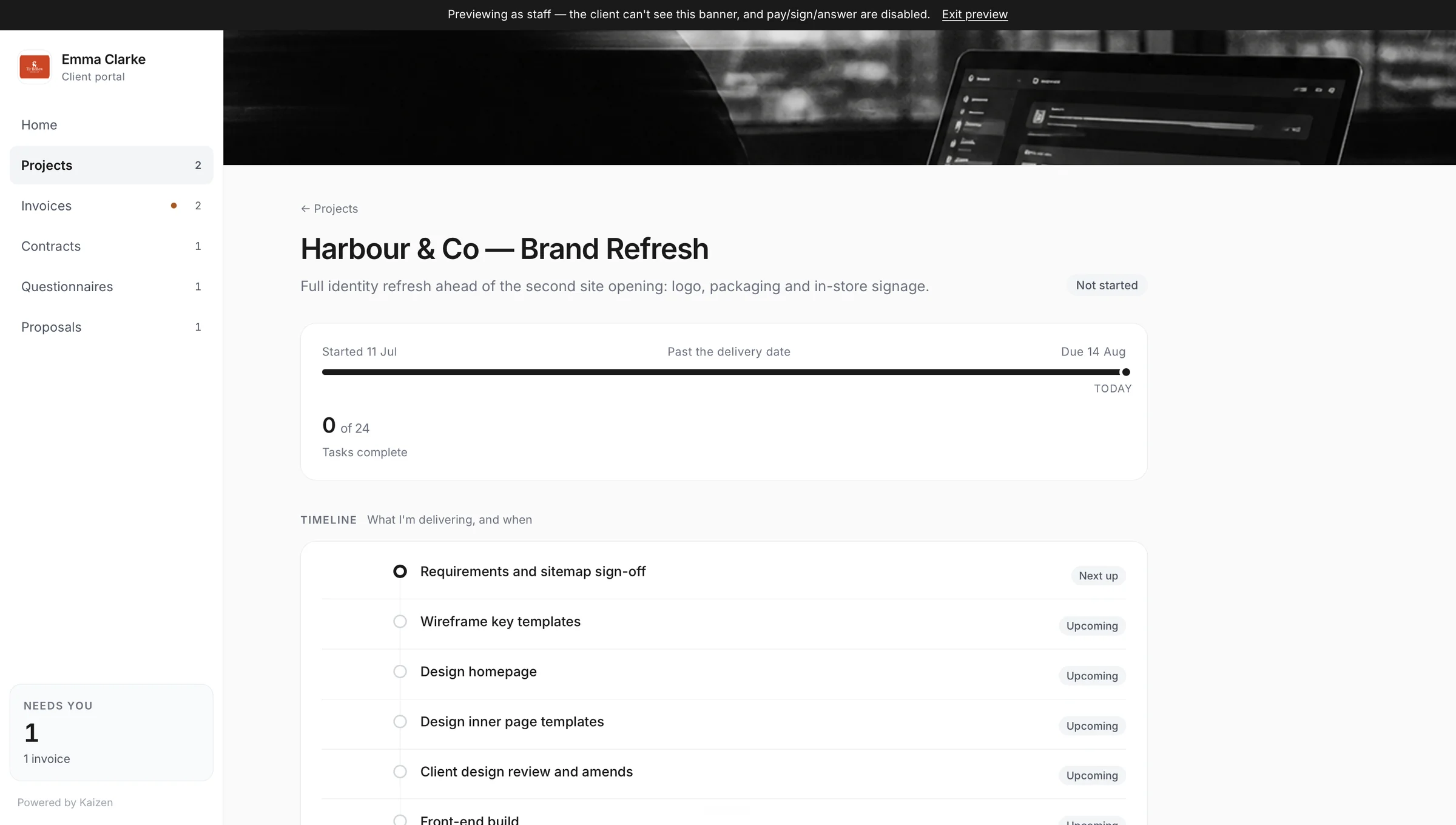
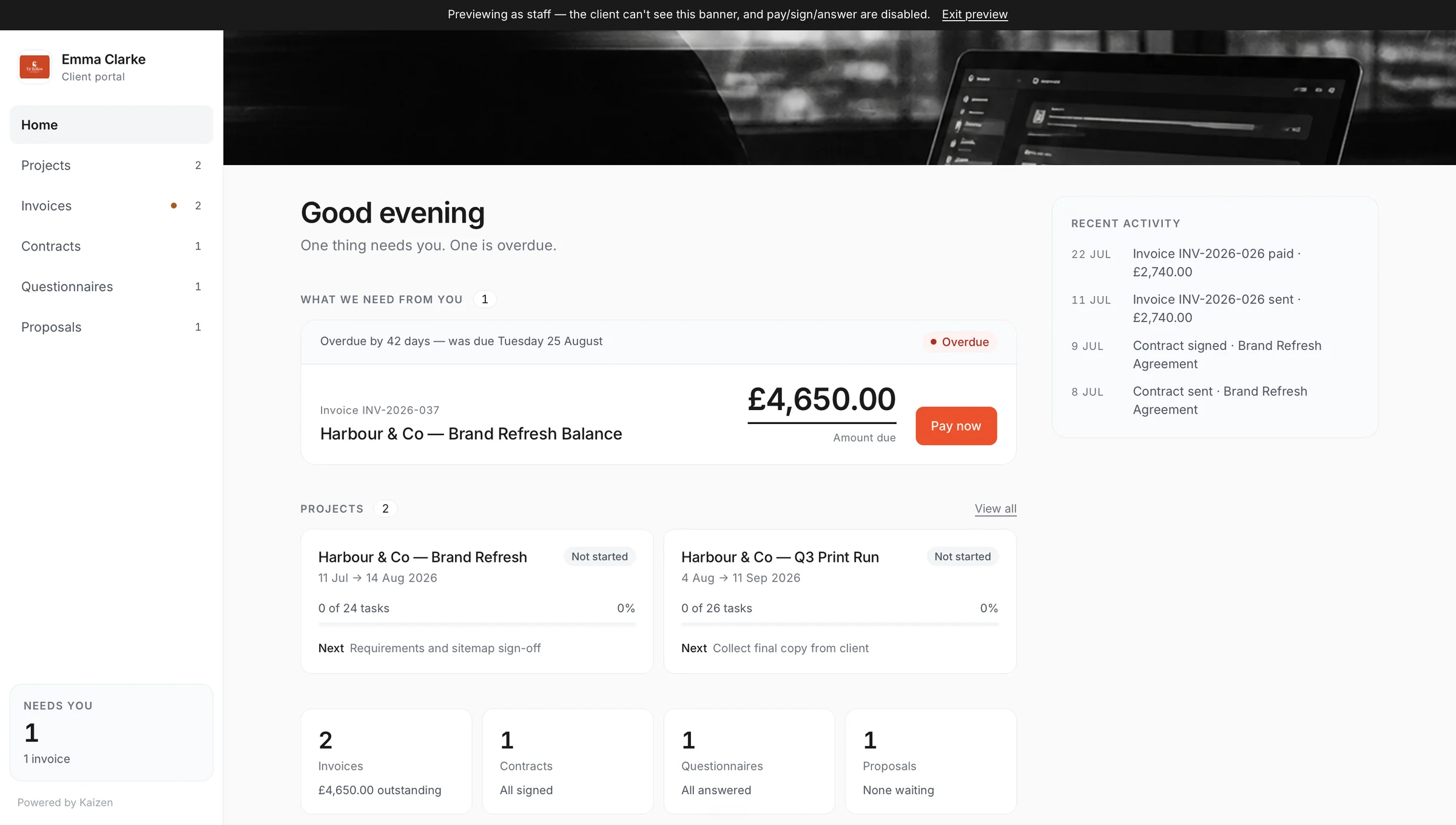
One click creates a private, branded page for a client, sent by link or email. The client sets their own password on first access.
From there, everything for that client appears automatically: projects with a progress list, invoices to review and pay, contracts to view, download and sign, proposals to view, download and accept, and questionnaires to complete and read back. Switch on file uploads and they can send you files too, straight into your own Google Drive.
Kai, the AI assistant
Or describe it, and let Kai build it
draft a proposal for Harbour Coffee, brand identity, three phases, £6,000
Brand identity proposal
Harbour Coffee · three phases
Everything Kai creates is a normal record in your portal — fully editable, exactly as if you had built it by hand.
Project information and workflow tracking
Every project gets a home: scope, key details, files, status and what happens next. Workflow tracking shows you where things actually are rather than where you hope they are.
This is the section that quietly answers the question every service business asks itself on a Monday morning, which is “right, what is actually going on?”

Get paid instantly
On the Companion plan, connect Stripe and invoices sent through Kaizen can be paid online straight away, including from inside a client's portal.
Paid plan
Kai, across everything above
Kai can create and update any of it through conversation. Ask it to raise an invoice, draft a proposal, build a questionnaire, add a client or update a project, and it does. Ask it what needs attention and it tells you.
This is the feature that changes how the rest of the features feel. Everything above stops being a series of screens to navigate and becomes a set of things you can simply ask for.
what needs attention before Friday?
Two things. The Harbour Coffee proposal expires Thursday, and INV-0051 is six days overdue. I can chase both now.
Brand identity proposal
Harbour Coffee · three phases
What costs nothing, and what costs £14.99
Free, permanently
No time limit, no card, no crippled invoicing.
- Client management
- Leads and lead forms
- Up to 10 invoices a calendar month
£14.99 a month
One paid plan, everything in it.
- Proposals
- Contracts and e-signature
- Questionnaires
- Projects, tasks and playbooks
- The client portal
- Documents and internal records
- Kai, the AI assistant
See the pricing — it takes about ten seconds to read.
A better alternative to spreadsheets and email. You keep your process. You just stop keeping it in six places.
If you currently run client admin on spreadsheets, email threads and a folder of documents, Kaizen replaces all three without asking you to change how you work.
Start with whichever part annoys you most. See pricing or book a walkthrough.

Feature questions
Kaizen includes client management, leads and lead forms, invoices, proposals, questionnaires, project information, business documents, internal records, workflow tracking, project updates and Kai, the AI assistant. Clients, leads, lead forms and up to 10 invoices a month are free; everything else is on Companion. It is designed as one system rather than a bundle of separate tools, so records connect to each other automatically.
Yes, Kaizen is designed specifically to replace spreadsheets and email threads for client admin, without forcing you to change your process. Spreadsheets fail because they hold data but no context, and email fails because information arrives in the order it was sent rather than the order you need it. Kaizen keeps every invoice, proposal, form and document attached to the client and project it belongs to, so finding something takes one search instead of a memory test.
Clients see their own portal: their invoices, contracts, projects and questionnaires, plus the accepted proposal. They never see drafts, your internal notes, your margins, or anything belonging to another client. An invoice appears only once it is sent and a contract only once it is out for signature.
Kaizen handles creating, sending and tracking invoices, but it is a business portal rather than a full accounting package, so most people keep their accounting tool for filing and reconciliation. The practical split is simple: Kaizen is where the invoice is created and chased, your accountant's software is where the year-end lives. If you are on Making Tax Digital, keep using your compatible accounting software for submissions.