








Proposals · Paid plan
Build and send proposals that win work, without starting from a blank page
Kaizen lets you build a proposal with phases, pricing, scope and terms, send it to the client from inside their portal, and track what happens next. Kai can draft the whole thing from a one line brief, usually based on a proposal you have already sent.

The proposal problem nobody admits to. Written on a Thursday night, cobbled from the last one, sent with a slightly wrong client name in paragraph three.
Proposals are the highest-leverage document a service business produces and usually the most rushed.
That is not a discipline failure. It is a tooling failure. If your last proposal lives in a folder and your client details live somewhere else, of course the process is manual and error-prone.
Kaizen keeps proposals where clients and projects already are, so building one starts from context rather than from nothing.

What goes into a Kaizen proposal
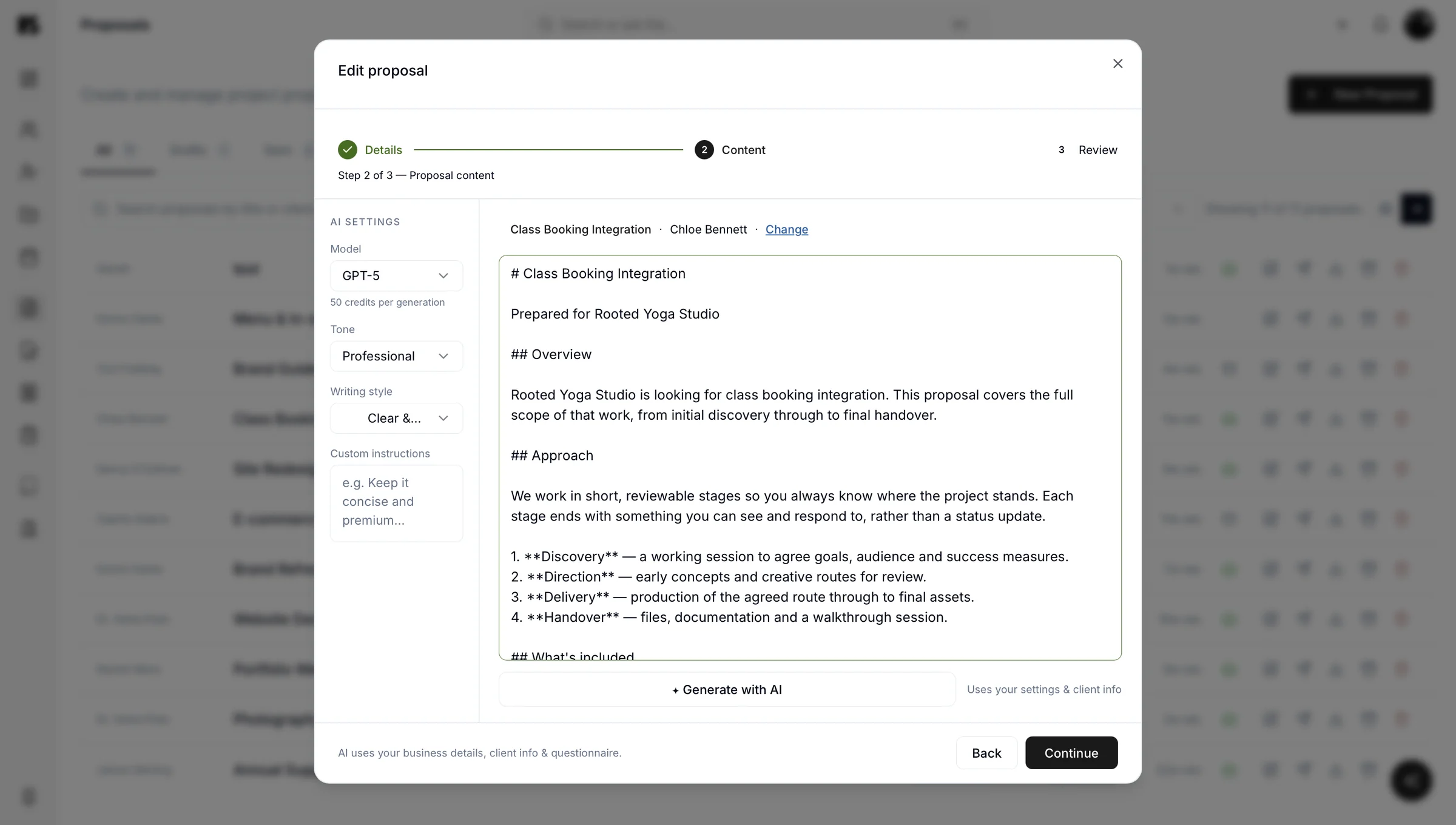
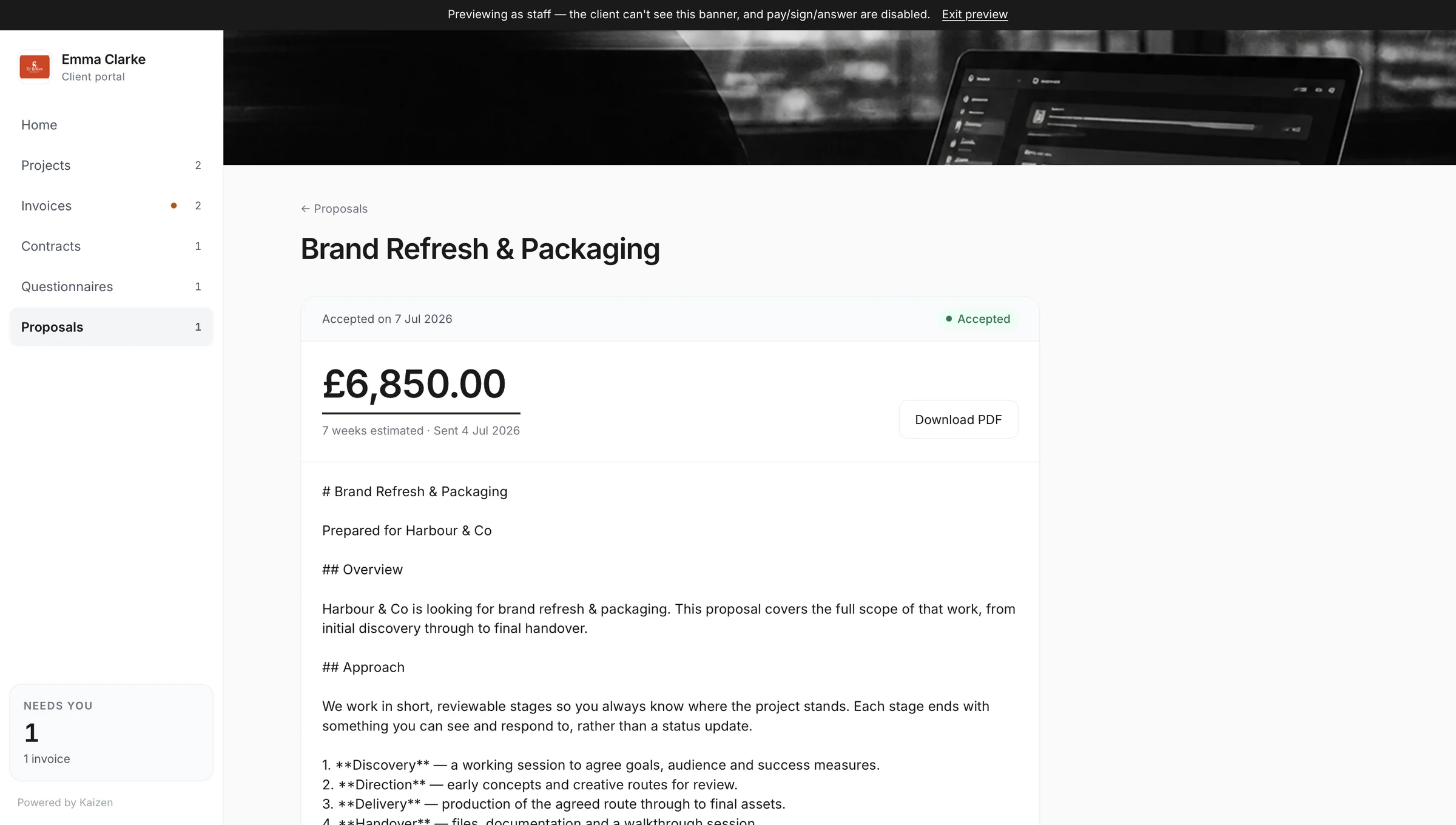
The four sections that do the work
Phases and scope
- Break the work into stages so a client understands the shape of what they are buying, not just the total.
Pricing
- Per phase, per project or as a retainer. Clear enough that nobody needs a follow-up call to interpret it.
Terms
- Payment terms, timelines and what is not included, which is the section that prevents most future disagreements.
Your brand
- The proposal arrives looking like it came from your business, because that is half of what a proposal is doing.
After you send
What happens after you send it
A sent proposal appears in the client's portal, where they can view it, download it, and accept it. You are not waiting on a reply email to know where you stand: the proposal carries a status, so you can see whether it has landed, been opened, or been accepted.
When a proposal is accepted, the work is already connected to the client and project, so raising the first invoice is a short step rather than a rebuild. That link is worth more than it looks: the gap between “yes” and “invoice sent” is where a surprising amount of small business cash flow quietly disappears.
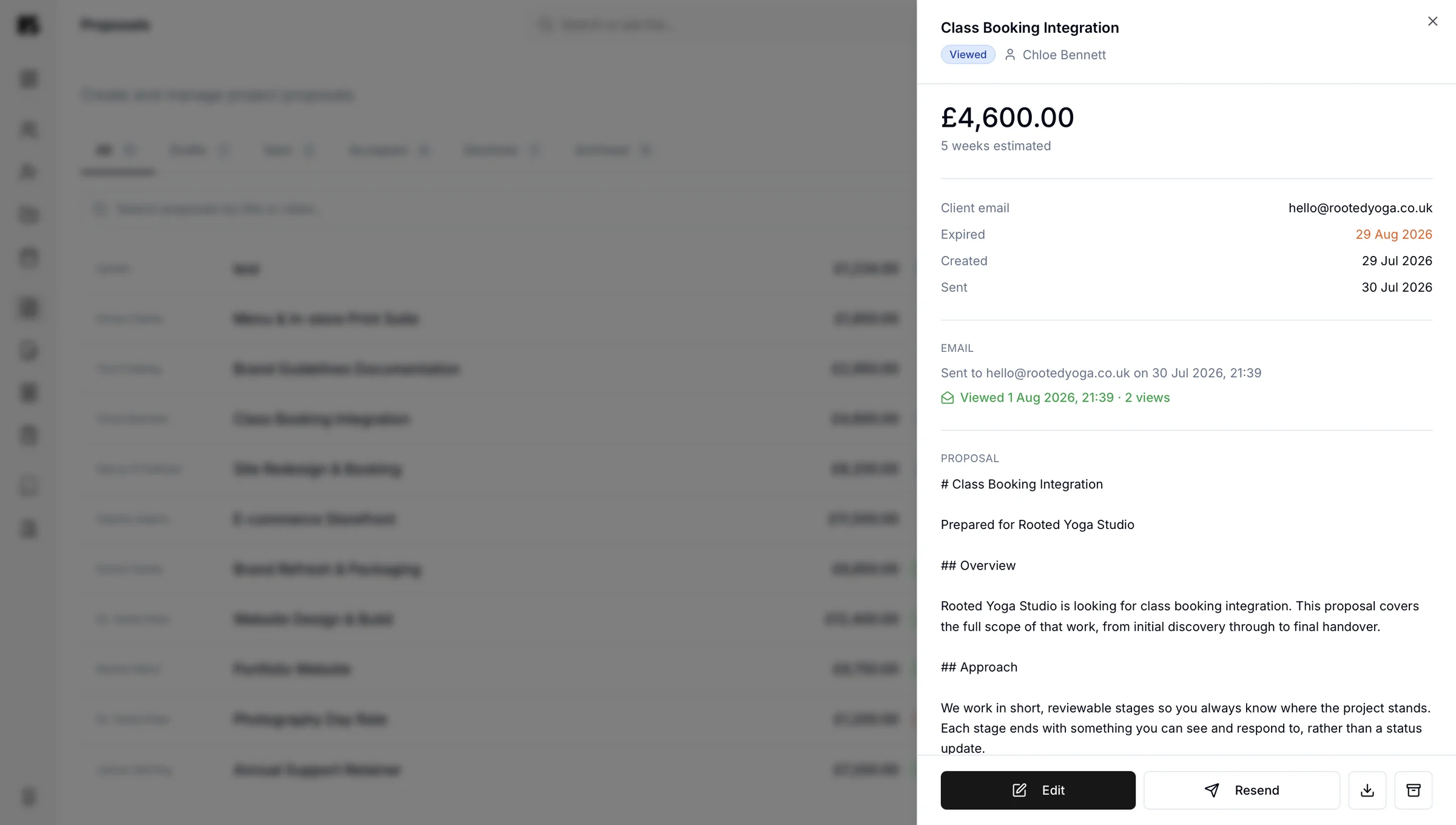
Kai, the AI assistant
Let Kai draft it
draft a proposal for Harbour Coffee, brand identity, three phases, similar structure to the Redwood one, £6,000
Brand identity proposal
Harbour Coffee · three phases
Kai builds it using your existing work as the reference point, then hands it to you to shape. You get the ninety per cent that is structure and boilerplate for free, and spend your actual attention on the ten per cent that wins the job, which is the thinking. See how Kai works.
One proposal, one place, one version. No more final_v3_ACTUAL_final.docx.
The proposal lives in the portal, it updates in the portal, and the version the client sees is the version that exists.
Proposal questions
Yes, Kai drafts proposals from a short brief, using your previous proposals and client information as reference. You might say “draft a proposal for Harbour Coffee, brand identity, three phases, similar to the Redwood one”, and it builds a structured draft with phases, scope and pricing for you to edit. You always review and send it yourself.
A strong service business proposal includes the client's problem in their words, the proposed approach broken into phases, clear pricing, a timeline, payment terms and an explicit note of what is not included. The last one prevents most scope disputes. Kaizen's proposal structure prompts for each of these so nothing important gets left out on a Thursday night.
Yes, because proposals and invoices live in the same portal and both connect to the same client and project, an accepted proposal moves into billing without you re-entering anything. Closing the gap between acceptance and the first invoice is one of the simplest ways to improve cash flow.
A client views, downloads and accepts a proposal from their client portal, which they access with the password they set when the portal was first created. Accepting it there is what moves the work forward on your side, with the full status and history staying attached to the client record.