








Clients and projects · Free plan
One record per client, holding every job you have ever done for them
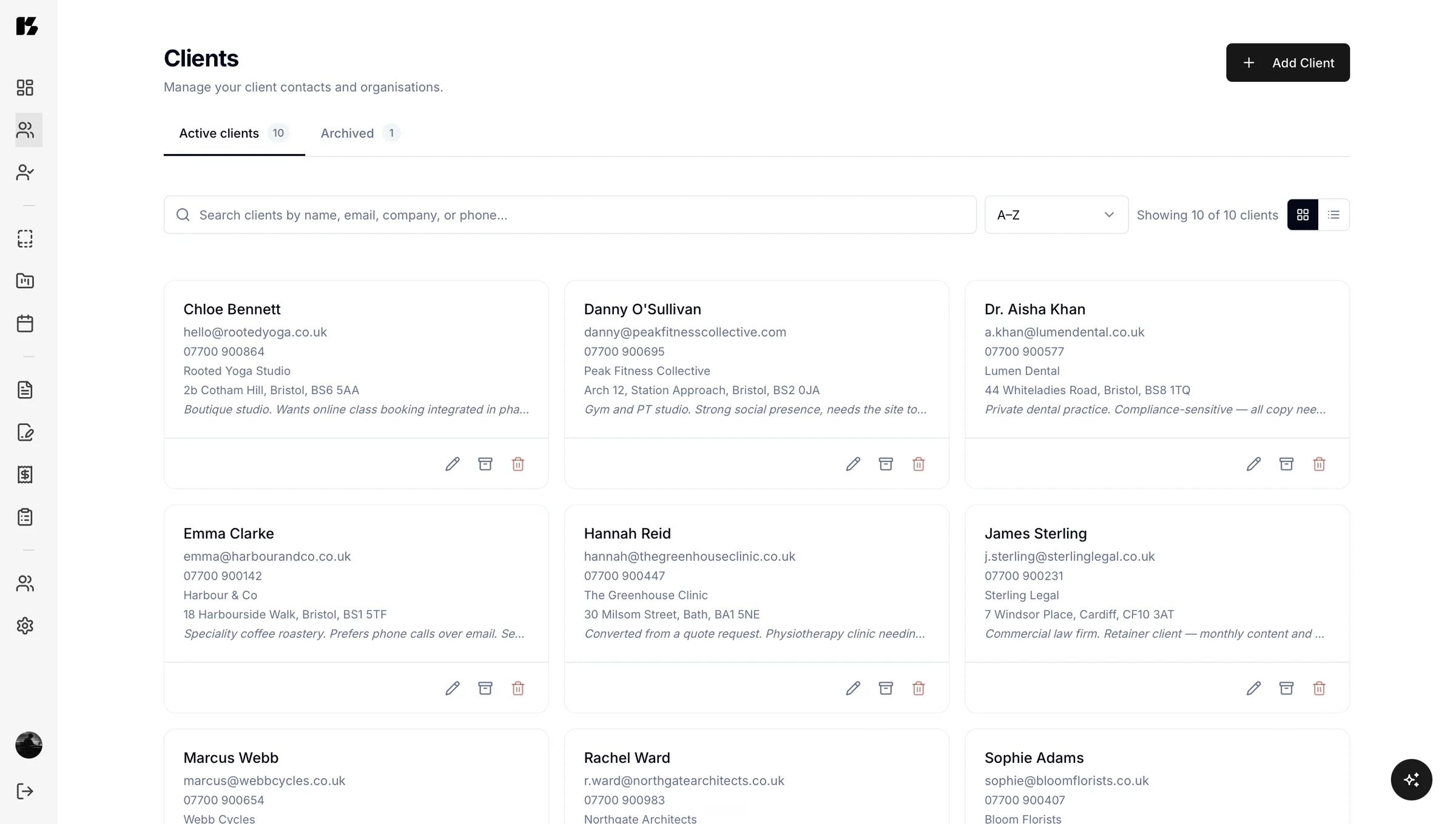
Kaizen gives every client a single record that holds their details, their history and every invoice, proposal, questionnaire and project attached to them. When they ask where things are, you can share the project list instead of writing another status email.

The client record
One page per client, holding the lot
Contact details, company information, notes, history, and every piece of work you have ever done for them.
The point of a record is not storage, it is retrieval. Six months after a project ends, when the client comes back and asks about the thing you agreed, you want one page rather than a search across three apps and an inbox. Kaizen gives you the one page.
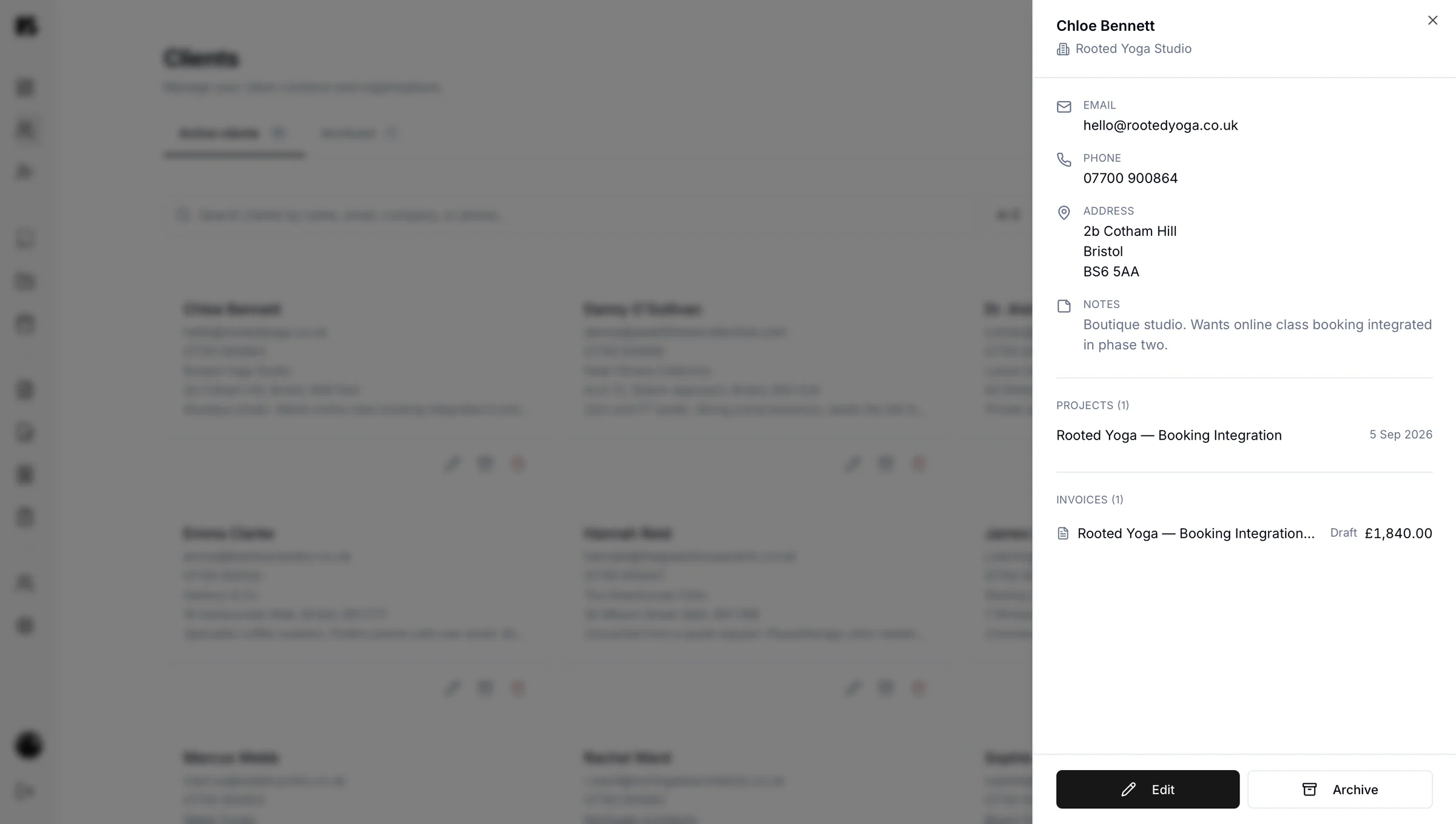
Everything connects. Open a client and you can see the proposal that started the work, the invoices that followed it, the questionnaire answers that shaped it and the project it all belongs to.
- Contact and company details
- Notes and history
- Every proposal, sent or accepted
- Every invoice and its status
- Questionnaire answers
- Projects and where each one has got to
Client portals
Every client gets a portal
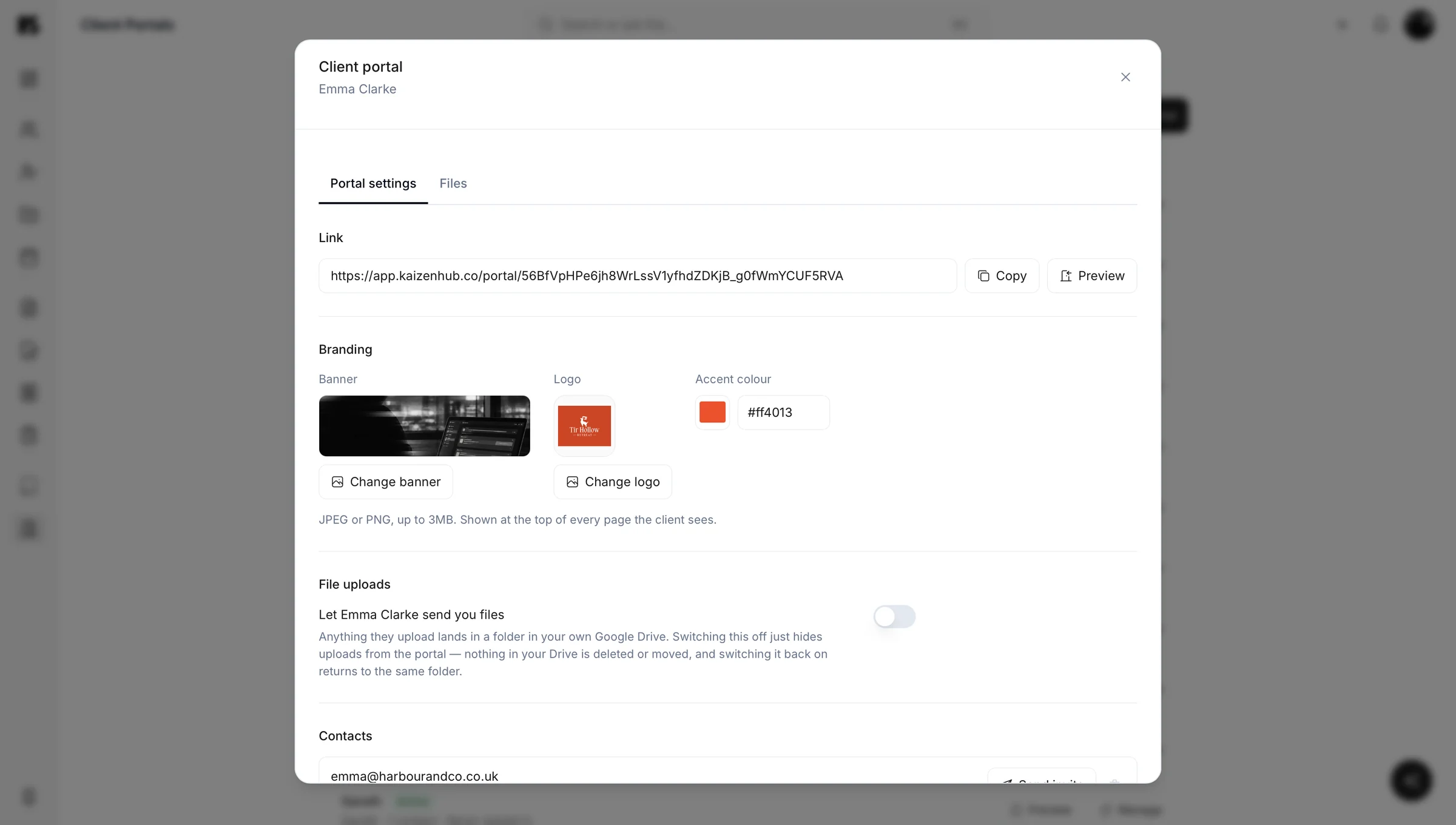
From a client record you can create their client portal: one private, branded link showing their invoices, contracts, projects and questionnaires, with outstanding actions at the top — and, if you switch it on, a Files area where they can send things straight to your Google Drive.
You do not publish anything to it. Everything for that client appears automatically once it has been sent.
What clients do not see. Drafts, internal notes, margins, and anything belonging to another client. An invoice appears once it is sent, a contract once it is out for signature.
There is a specific kind of exhaustion that comes from being your own filing system. You know the information exists. You know roughly where it was. Finding it still takes eleven minutes and two false starts.
Research on task-switching suggests that jumping between tasks and tools can consume a large share of productive time, and every app you open to find one detail is another jump. Keeping the client's whole history on one page removes most of them.
It also protects you commercially. When a scope question comes up eight months later, the proposal, the questionnaire answers and the invoices are all sitting together, dated and intact.

Kai, the AI assistant
add a new client: Harbour Coffee, contact Sam, sam@harbourcoffee.com
Harbour Coffee
Sam · sam@harbourcoffee.com
Or skip the clicking entirely and ask Kai to set the client up for you.
Projects and workflow
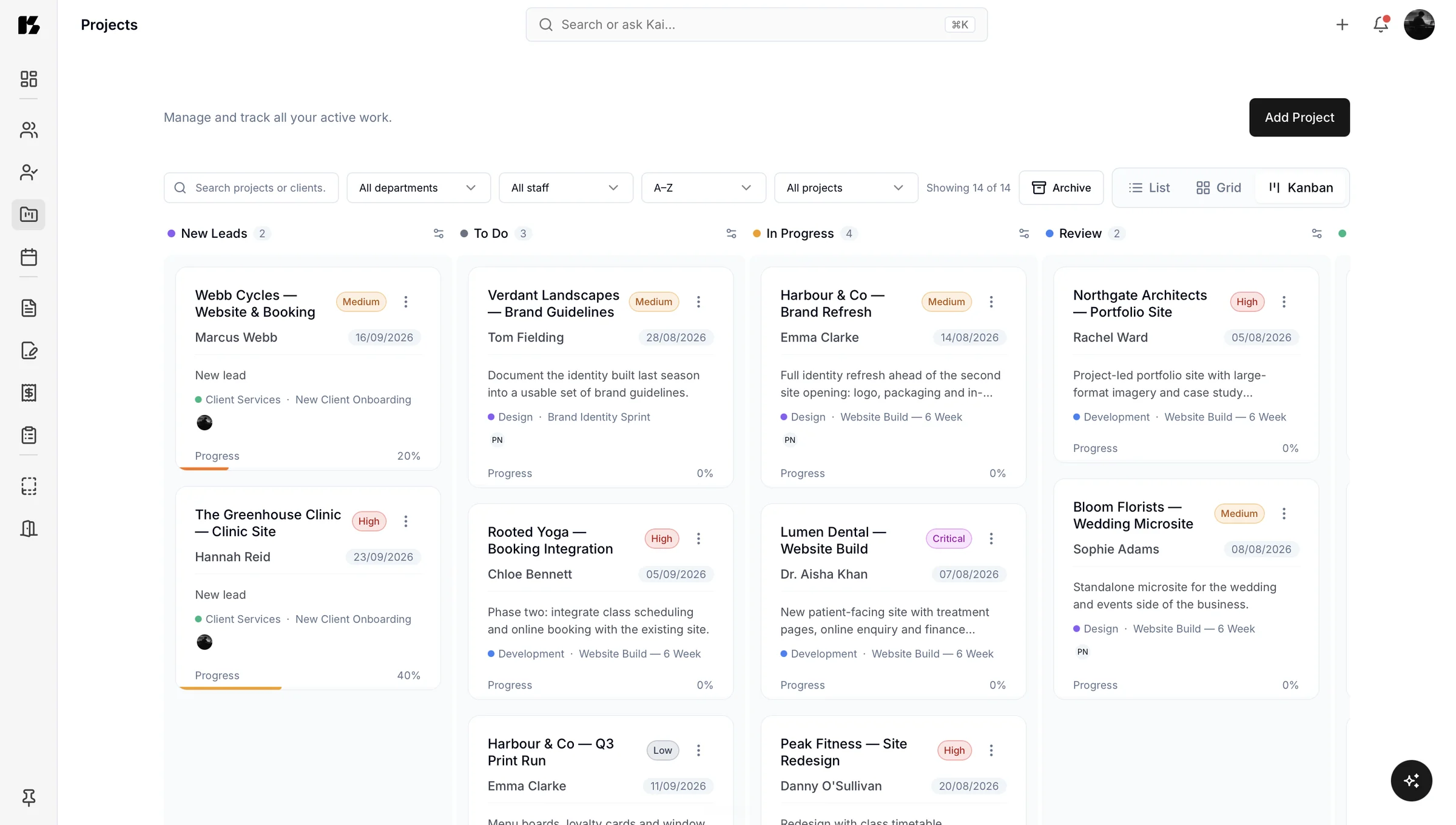
Every project gets a home: scope, key details, files, status and what happens next. Workflow tracking shows where things actually are rather than where you hope they are.
This is the section that quietly answers the question every service business asks itself on a Monday morning, which is “right, what is actually going on?” You can also just ask Kai and have it tell you.
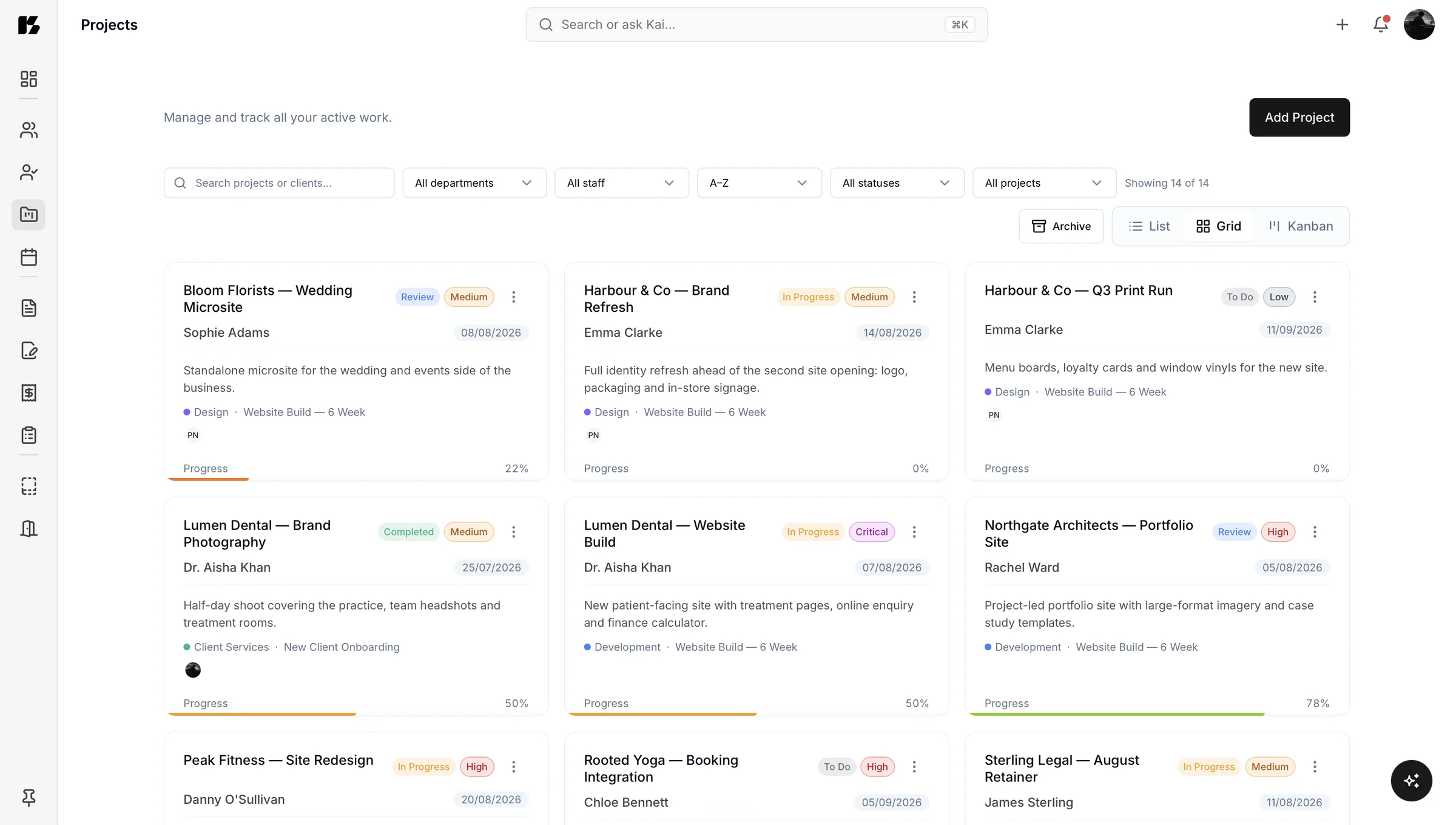
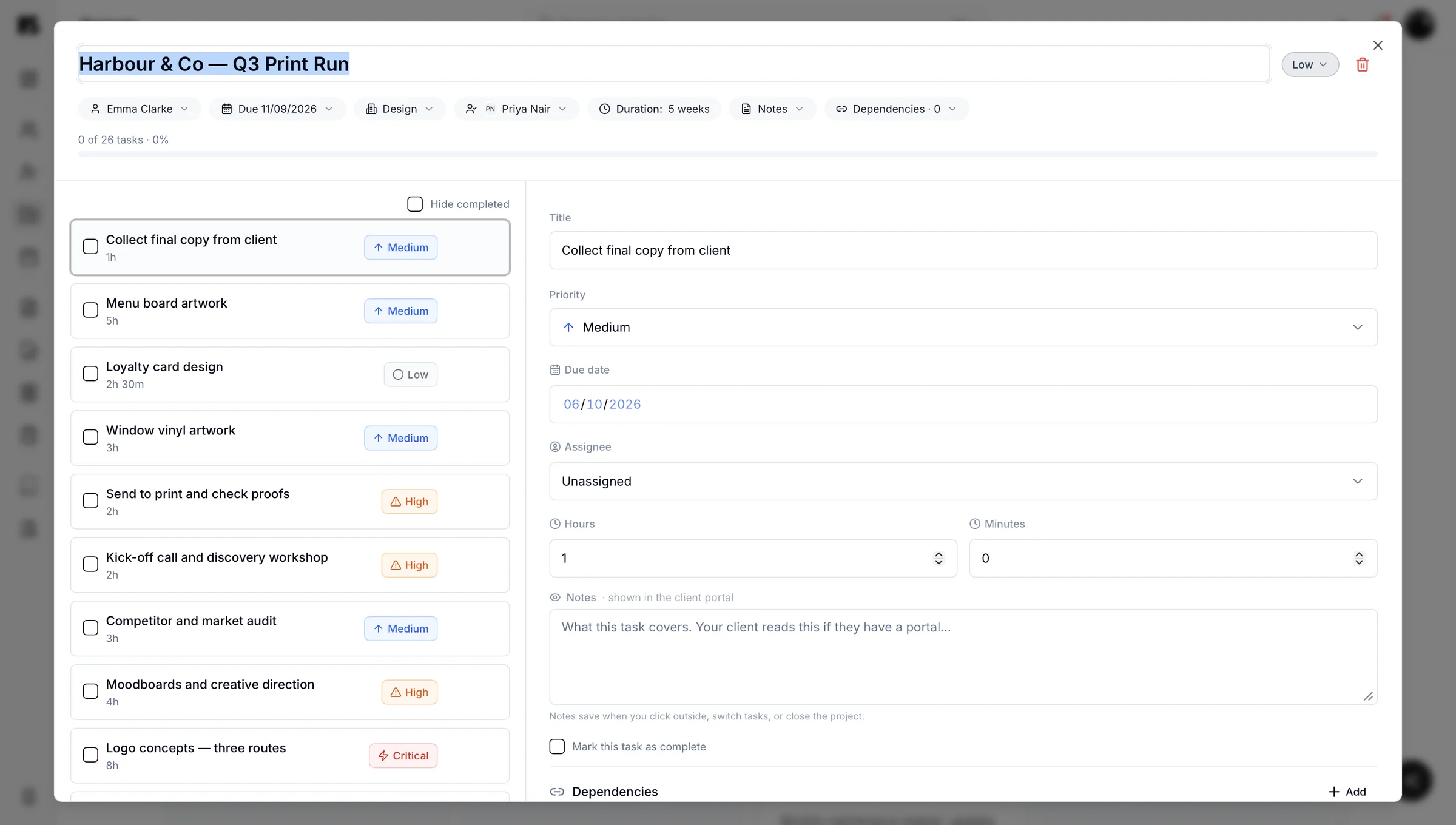
Adding a client takes about a minute. Then the rest of the portal picks it up.
Add the client, attach a questionnaire to collect what you need, and you are running.
See how Kaizen fits your kind of business, or check the pricing.
Questions about clients and projects
You keep client information in one place by using a system where every invoice, proposal, questionnaire and project attaches to the client record rather than living in a separate tool. In Kaizen, opening a client shows their whole history on one page, so answering a question about work you did eight months ago takes one search rather than a hunt through email, a document folder and an accounting tool.
Each client gets their own portal showing their invoices, contracts, projects and questionnaires, plus a Files area if you have switched on uploads for them. They never see drafts, internal notes, margins, or anything belonging to another client. An invoice appears only once it is sent, and a contract only once it is out for signature.
No, clients never see internal notes, margins or drafts. Their portal shows only sent items: invoices once sent, contracts once out for signature, plus their projects, questionnaires and the accepted proposal.
The number of clients you can manage depends on your plan, and the plans are set out on the pricing page. Kaizen stays usable whether you are a freelancer with six clients or an agency with sixty, because everything is organised by client and project rather than by folder.