








Invoices · Free plan
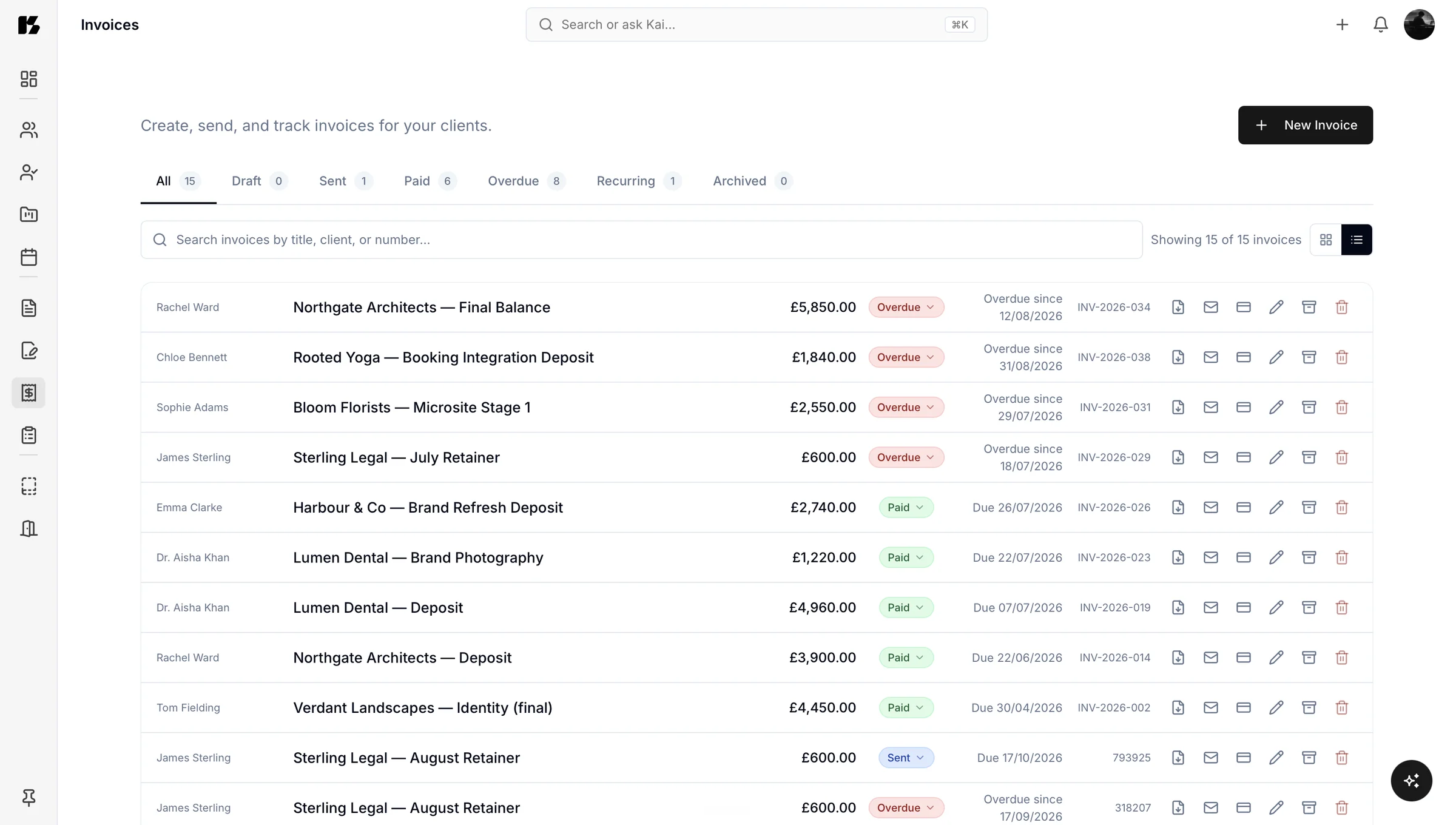
Create, send and track invoices beside the work they came from
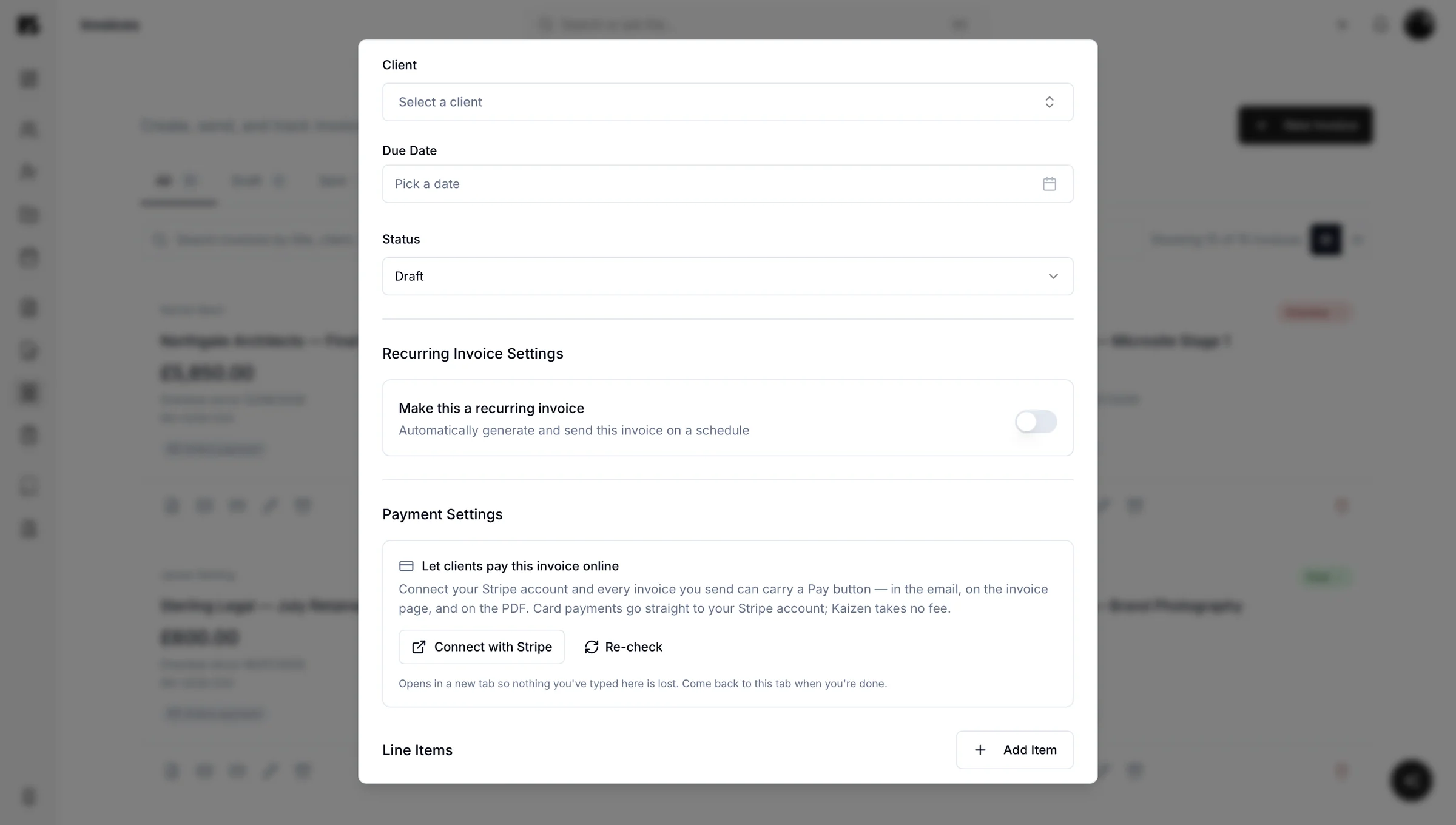
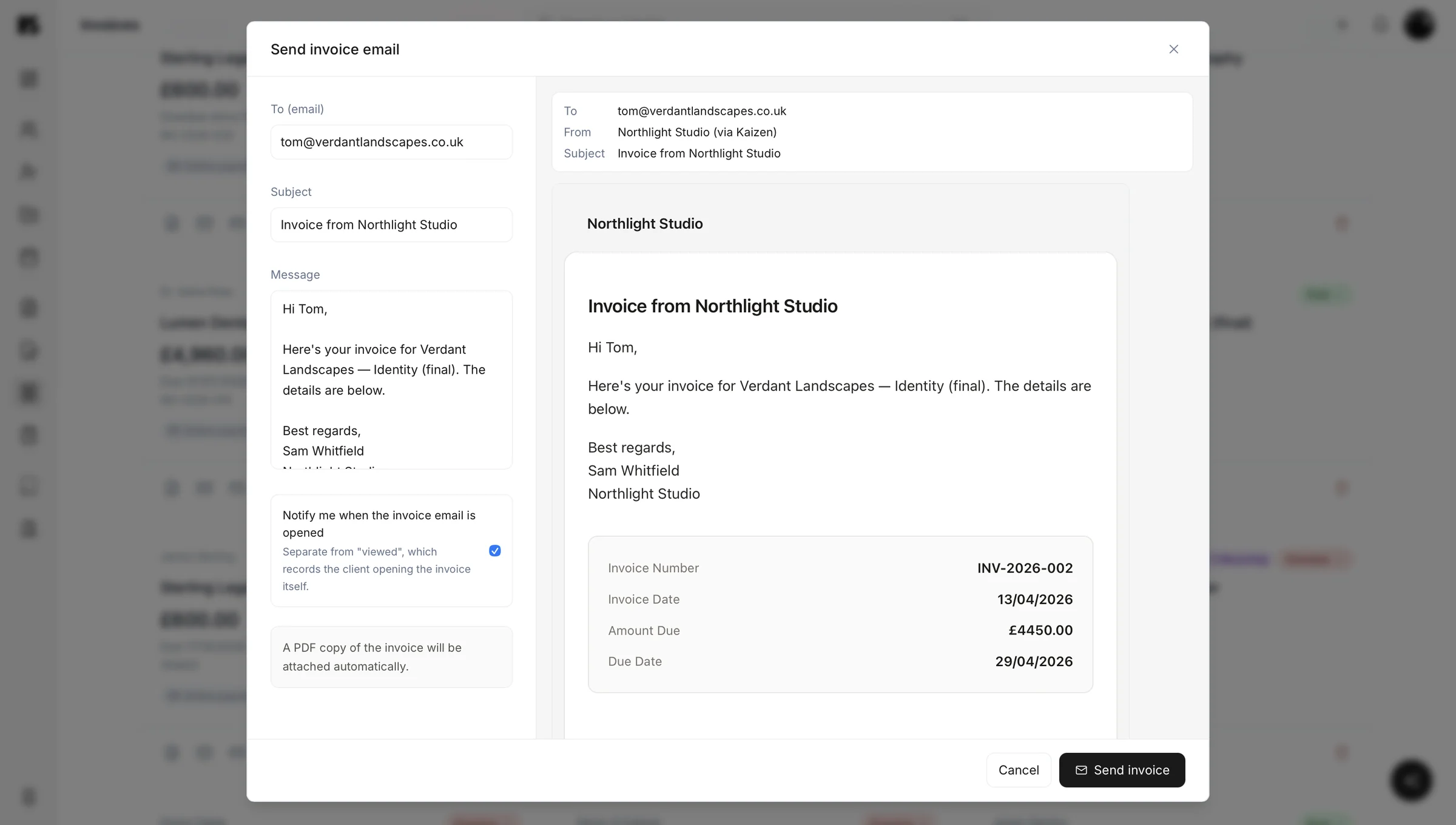
Kaizen lets you raise an invoice, send it and track whether it has been paid, in the same place that holds the client, the proposal and the project it came from. You can build one by hand, or simply ask Kai to do it.

Connected billing
Invoices that know where they came from
Most invoicing tools treat an invoice as a standalone document. Kaizen treats it as part of a story: this client, this project, this approved proposal, this amount.
That connection saves you the two most annoying invoicing jobs. You are not re-typing details you have already entered somewhere else, and you are not hunting for what was agreed before you can bill for it. An approved proposal is one step from a sent invoice.
- Line items, quantities and rates
- Your payment terms and due date
- The client and project it belongs to
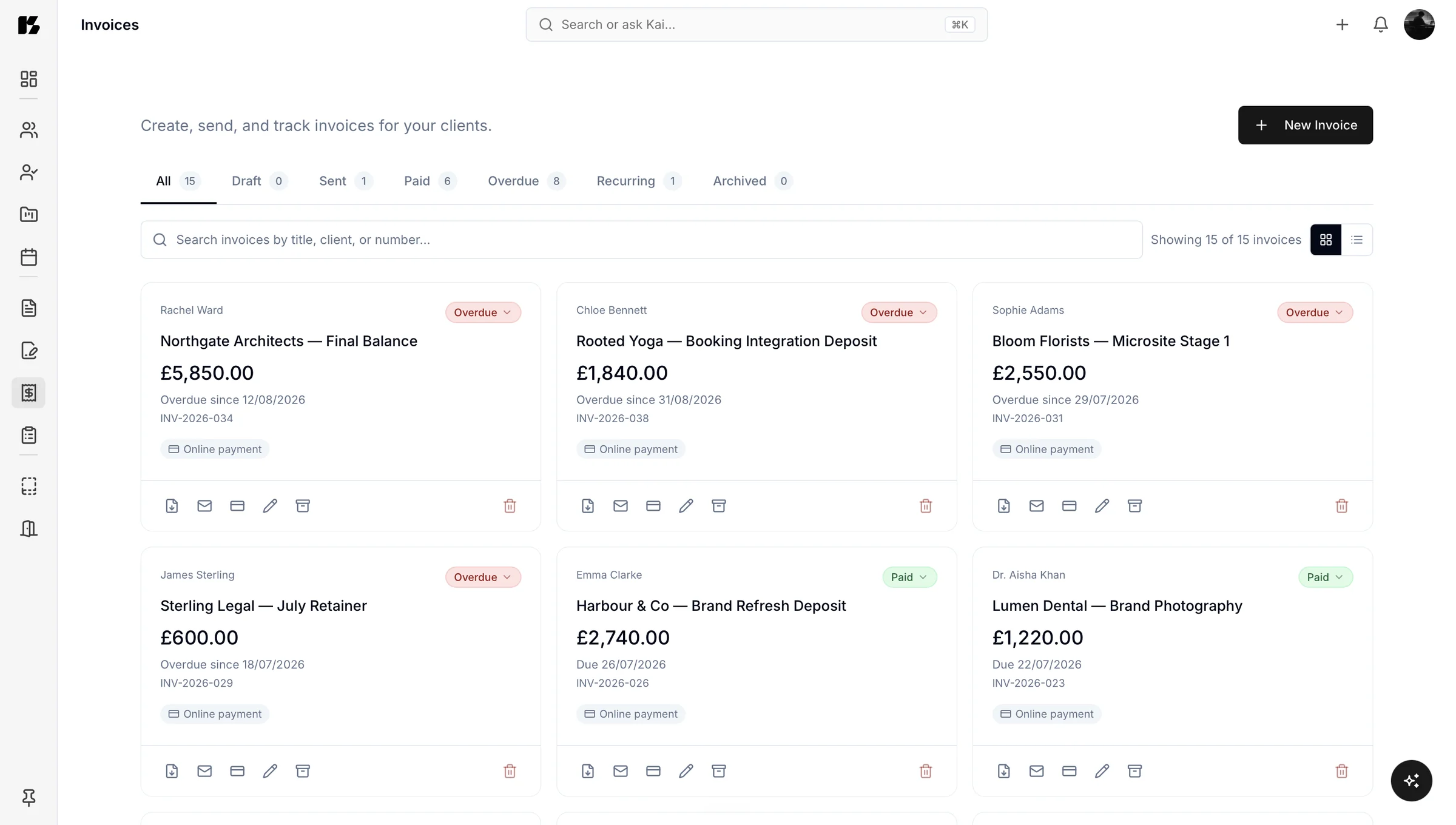
- A clear status: draft, sent, paid or overdue
Compliance
Getting the legal bits right without thinking about them
UK guidance sets out exactly what an invoice must contain, and it is more specific than people expect: a unique identification number, your business details, a clear description of what you are charging for, dates and the amount due. Getting it wrong can hold up payment for reasons that have nothing to do with your work.
Kaizen keeps the format correct so you are not checking a government page every time you bill someone. On timing, the default position in the UK is that a customer must pay within 30 days of receiving your invoice or the goods or service unless you have agreed a different date, and you have the right to charge statutory interest on late commercial payments if you choose to.
- 30 days
- is the default UK payment window, unless you agree a different date in advance. GOV.UK payment obligations
- Most
- UK small firms deal with late payments, and many spend real time each year chasing money already earned. Federation of Small Businesses
- £0
- for invoicing on Kaizen's free Basic plan, up to 10 a month. Nothing held back below that, no watermark. See the pricing
Chasing less, knowing more
Late payment is not a small problem. Kaizen will not make a slow payer fast, but it removes the part you control badly: not knowing. Every invoice shows its status. Overdue is visibly overdue.
Nobody enjoys the “just following up on invoice 0042” email, including the person sending it. It is easier when you know exactly what is outstanding, how long it has been outstanding, and which project it relates to, all without opening a spreadsheet first.
Kai, the AI assistant
Or skip the form entirely
invoice Harbour Coffee £2,400 plus VAT for the brand identity, 30 day terms
INV-0053
Harbour Coffee · Brand identity
The invoice appears, ready to check and send. That is the whole workflow.
Every invoice sits with its client record. So the whole history is one click away when you need to reference it.
You can also ask Kai “what is outstanding this week?” and get an answer in a sentence, instead of opening a spreadsheet you last updated with good intentions.

Online payment
Connect Stripe and get paid the moment you send it
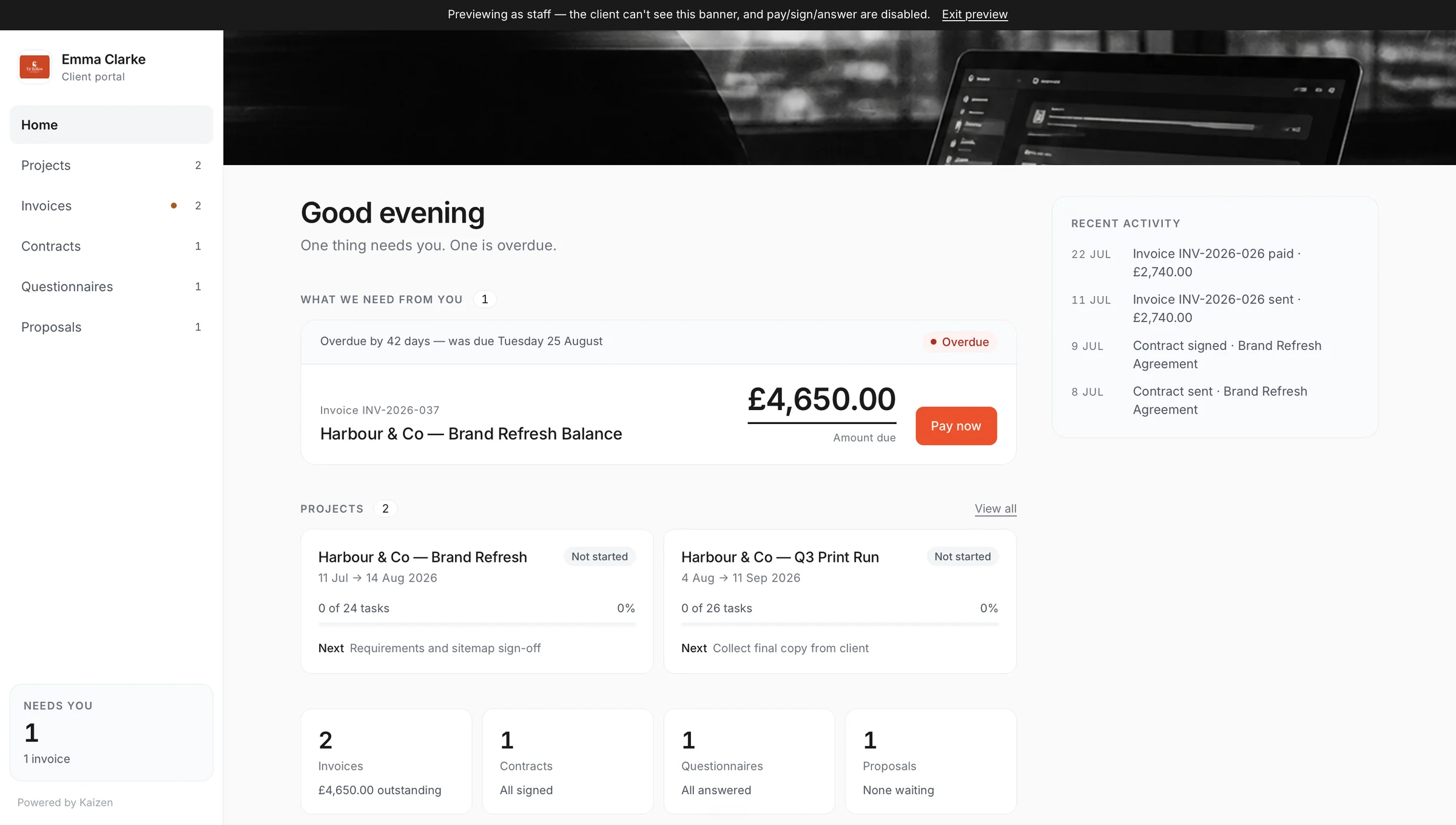
On the Companion plan, connect your own Stripe account to Kaizen and your invoices carry a pay button that actually works. A client can pay online the moment they open it, including from inside their client portal, rather than you waiting on a bank transfer that may or may not turn up this week.
No separate payment link to generate, copy and send. The invoice and the way to pay it are the same object.
Invoicing questions
Yes, Kai creates invoices from a plain instruction such as “invoice Harbour Coffee £2,400 plus VAT for the brand identity on thirty day terms.” It builds the invoice inside your portal with the correct client, line items and terms, then shows it to you to review before sending. You can edit anything before it goes out.
A UK invoice must include a unique identification number, your business name and address, the customer's name and address, a clear description of what you are charging for, the date the goods or service were supplied, the invoice date and the amount due. VAT registered businesses have additional requirements, including the VAT amount and registration number. Kaizen builds invoices in the correct format so you are not checking this every time.
Unless you agree a different payment date, a customer must pay within 30 days of receiving your invoice or the goods or service, whichever is later. You can set your own terms in advance, and you also have the right to charge statutory interest on late commercial payments if you choose to.
Kaizen creates, sends and tracks invoices, but it is a business portal rather than a full accounting package, so most businesses keep their accounting software for reconciliation and filing. If you are within Making Tax Digital, continue using your compatible accounting software for submissions and use Kaizen for the client-facing side of billing.
Yes, every invoice in Kaizen carries a clear status of draft, sent, paid or overdue, and you can see all of them in one list. You can also ask Kai what is outstanding and get a direct answer without opening anything.
Yes, on the Companion plan. Connect your own Stripe account to Kaizen and every invoice you send carries a working pay button, so a client can pay online the moment they open it. Payment can happen from the invoice itself or from inside the client's portal, without a separate payment link.